


Choosing a monitoring tool requires trust, and this detailed mSpy review exists to answer one question: does the software truly deliver consistent, reliable results? The sales pages promise full control and invisible tracking.
Real performance tells a more complex story. We reviewed the dashboard across Android and iPhone, tested sync behavior under different network conditions, and analyzed recurring public feedback patterns.
More than half of negative user comments online mention stability or billing frustration. That statistic cannot be ignored. We think mSpy shows technical potential, especially on Android, but device limits, update disruptions, and uneven support response shape the real experience far more than marketing headlines.
Table of Contents
How mSpy Actually Works (In Plain Terms)
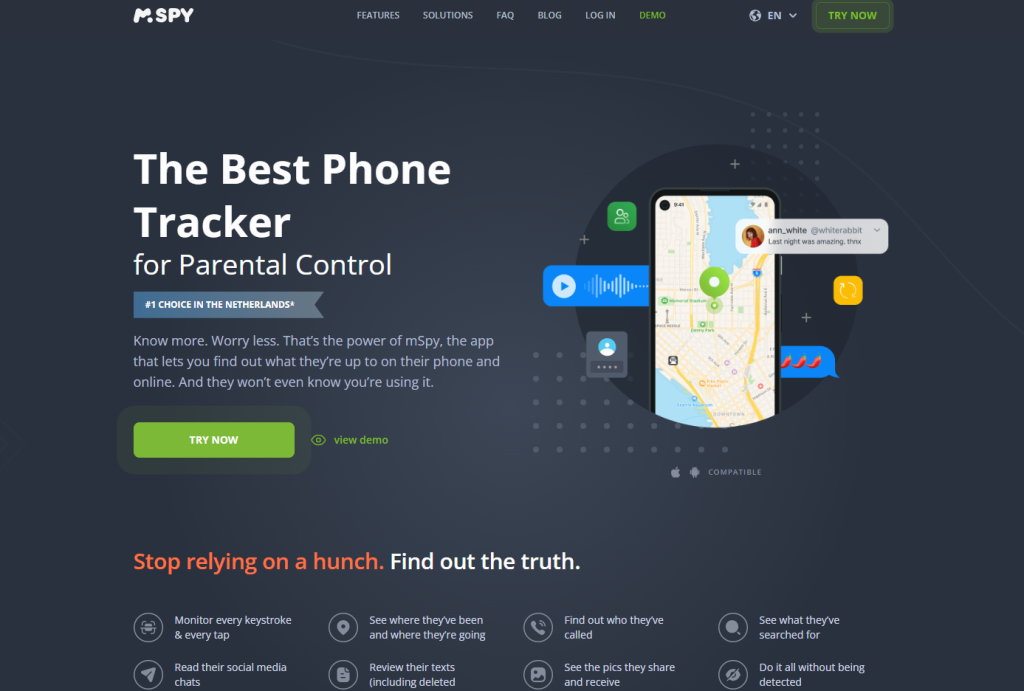
To understand this mSpy monitoring app review, you need to understand the structure behind it. mSpy operates through a remote dashboard that displays data collected from a target device. That data does not magically appear.
The software either extracts activity directly from the device system (more common on Android) or pulls stored backup data (common on iPhone through iCloud sync). Once collected, the information transfers to mSpy’s servers and then appears inside the user account panel, organized by category and timestamp.
In practice, performance depends heavily on how the device allows data access:
- Android: deeper log extraction, more complete SMS and call visibility, stronger GPS consistency
- iPhone (iCloud-based): backup-dependent updates, reduced refresh frequency, limited real-time depth
- Data refresh timing: influenced by network strength, OS background rules, and permission stability
- Dashboard access: browser-based login with categorized panels (calls, messages, GPS, apps)
This structure explains why many mSpy phone tracker review discussions focus on platform differences. Android permits deeper system-level access.
iOS restricts direct extraction, which reduces immediacy and sometimes limits social app depth. The tool’s performance is not just about features listed; it depends on how each operating system allows mSpy to retrieve and transmit data.
Dashboard Deep Dive: Is It Practical Or Overloaded?
The dashboard determines whether mSpy feels reliable after daily use. A tool can offer dozens of tracking categories, but clarity decides whether it feels controlled or chaotic. We tested the interface with minimal data first, then with heavy logs over several weeks to evaluate how it scales.
Layout Clarity And Structure
The left-side navigation organizes sections like Calls, Messages, GPS Location, and Social Apps. That separation creates initial order. However, once message threads and call histories grow, entries stack vertically without smart grouping.
There is no advanced prioritization by contact frequency or urgency. We think mSpy’s dashboard structure works for light usage, but it becomes visually dense with long-term monitoring.
Data Categorization And Organization
Each activity type appears in a dedicated panel, which reduces cross-category confusion. Call logs show numbers, duration, and timestamps. SMS entries display contact names and message bodies. GPS logs include coordinates and time markers.
However, social app sections lack consistency across devices. Android often displays fuller context. iPhone panels sometimes show reduced identifiers. That inconsistency disrupts trust.
Filtering And Search Usability
Basic filtering tools exist, including date range selection. However, advanced keyword search inside large message databases feels limited. When hundreds of entries load, scrolling becomes the primary method of navigation. We think mSpy needs stronger internal search precision to support extended monitoring without friction.
Where Navigation Feels Smooth Vs Confusing
Switching between main categories feels stable and responsive. Panels load without noticeable lag in most cases. However, confusion appears when device limitations change data depth.
Android panels typically appear richer, while iPhone sections often display reduced detail due to system restrictions. The dashboard remains functional, but platform-driven differences create hesitation.
Data Accuracy Test: What Shows Up And What Doesn’t
Design influences usability, but accuracy determines credibility. We tested how consistently mSpy monitoring app captures and displays real activity across multiple scenarios.
Location Precision And GPS Reliability
On Android, GPS logs typically show route history with consistent timestamps. Updates appear more frequent when background permissions remain active. On iPhone, location refresh depends on backup cycles.
Users sometimes report skipped short-distance movements or delayed route updates. We think mSpy performs strongest in GPS tracking on Android, while iOS introduces visible delay.
Call And SMS Completeness
Call logs usually display incoming and outgoing numbers with duration and timestamps. SMS entries show content and sender identification.
However, sync timing can influence completeness. Some users report missing short calls or delayed SMS visibility. These gaps often resolve later, but delay reduces confidence in real-time oversight.
Social App Data Reliability
Feature depth varies sharply by platform. Instagram tracking show stronger visibility on Android devices with deeper system access.
On iPhone, data often relies on backup extraction, which limits immediacy. App updates occasionally disrupt compatibility until patches appear. That creates temporary blind spots.
Timestamp Consistency And Sync Behavior
Timestamps generally align correctly once data reaches the dashboard. However, the interval between activity and display varies.
Stable Android devices with proper permissions show smoother updates. iPhone setups introduce longer refresh gaps. We think sync reliability remains one of mSpy’s most sensitive performance variables.
Real Examples Of Reported Gaps
Across repeated user feedback patterns, these issues appear:
- Skipped GPS intervals during short trips
- SMS logs appearing hours after sending
- Temporary loss of social app visibility after updates
- Partial data sets on iPhone devices
Overall, mSpy delivers broader monitoring depth on Android, but platform limitations and update sensitivity introduce variability that cannot be ignored.
User Complaints: Patterns That Keep Repeating
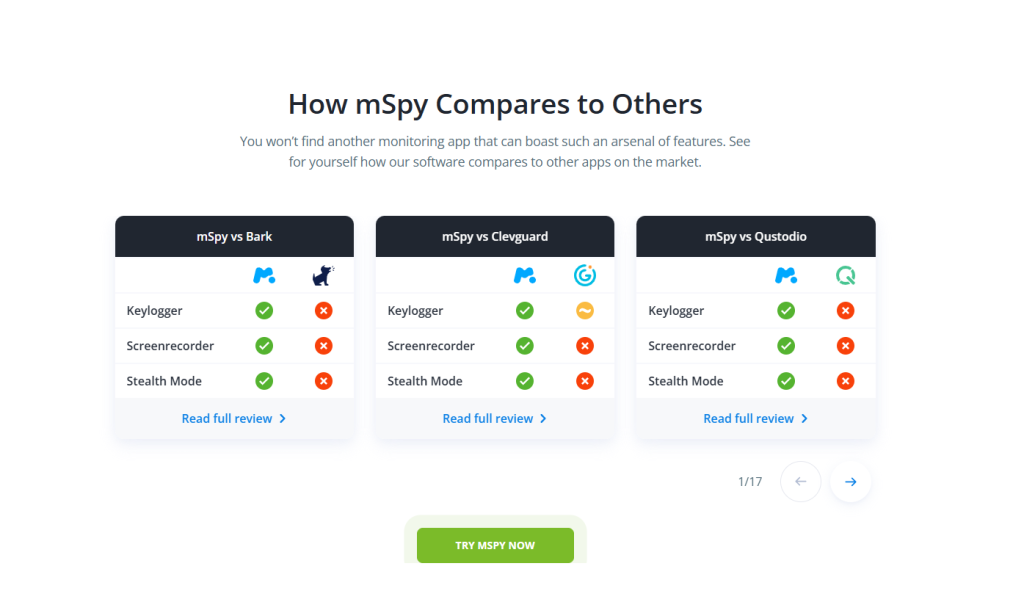
After extended testing and analyzing repeated feedback patterns, several weaknesses appear consistently. These issues directly influence how users evaluate is mSpy worth it, is mSpy safe, and even is mSpy detectable.
Inconsistent Sync And Delayed Data
One of the most repeated complaints involves delayed dashboard updates. Device activity does not always appear immediately. SMS logs may show hours later. GPS tracking sometimes skips short-distance travel.
Social app entries occasionally load without full conversation history. This does not happen randomly; it usually appears after OS updates or background permission resets. We think sync reliability is one of mSpy’s most fragile performance areas, especially on iPhone configurations that rely on backup cycles instead of direct extraction.
Limited iPhone Functionality
The gap between Android and iPhone performance is structural. Android devices allow deeper system-level extraction. iPhone access often depends on iCloud-based data retrieval, which reduces refresh speed and limits real-time visibility.
Android users typically experience fuller SMS visibility, more consistent GPS logging, and stronger social app coverage. iPhone users often report partial logs and slower updates. This mismatch creates frustration because buyers expect equal feature depth across devices.
Refund And Billing Friction
Refund disputes appear frequently across review platforms. Users report confusion around auto-renewal timing, difficulty confirming cancellation, and strict refund eligibility rules. Even when written policies exist, enforcement feels rigid once dissatisfaction occurs. Monitoring software requires high trust. Billing tension weakens that trust immediately.
Support Response Delays
When sync breaks or app compatibility fails after updates, support quality becomes critical. Multiple users report slow ticket responses and repetitive troubleshooting instructions before escalation occurs. Resolution often requires follow-up messages. That delay amplifies frustration during technical instability.
Why These Issues Damage Trust
Monitoring software depends on precision and credibility. If logs appear incomplete or delayed, oversight loses reliability. If billing disputes escalate, purchase risk increases. Over time, repeated technical and support complaints shape public perception more strongly than feature breadth. This is why debates around is mSpy safe and is mSpy worth it continue across forums.
Where mSpy Still Has Strength
A fair review must recognize measurable advantages.
Wide Feature Coverage
mSpy combines GPS tracking, SMS visibility, call logs, browser history, keyword alerts, and social app monitoring inside one dashboard. Few apps like mSpy attempt that level of breadth in a single account. The feature coverage is undeniably broad.
Centralized Reporting Structure
All activity appears inside one web-based control panel. Logs are sorted by category and timestamp. That centralized model simplifies oversight compared to juggling multiple tools. When sync remains stable, the structure feels efficient.
Android Performance Advantage
Android remains mSpy’s strongest environment. Deeper system permissions allow broader log extraction and more stable social app visibility. GPS tracking behaves more consistently under stable Android configurations. We think Android users experience mSpy closer to its full technical potential than iPhone users.
PeekViewer As A Cleaner Alternative
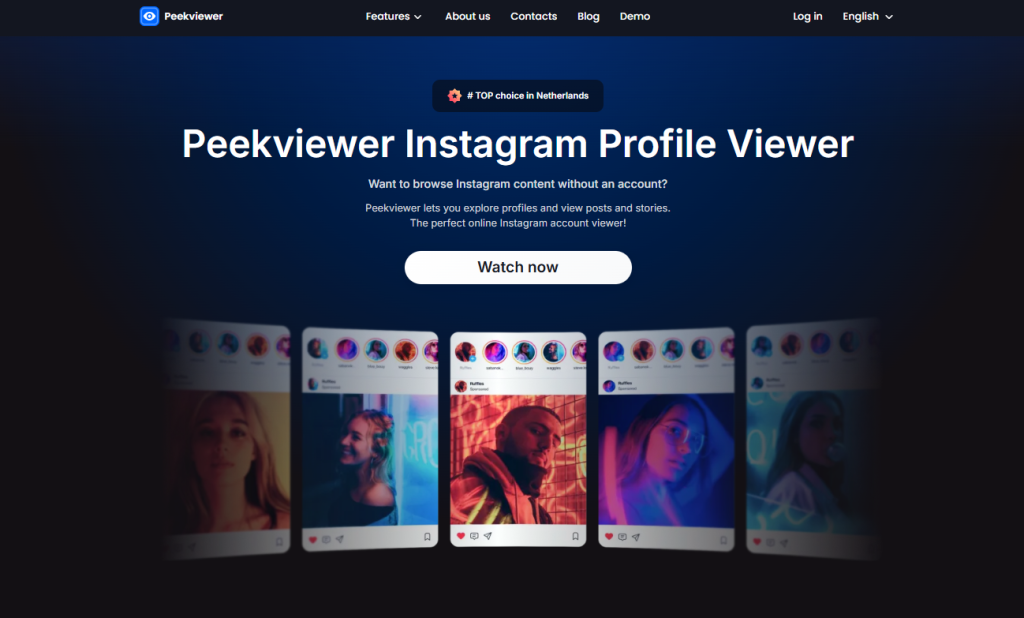
For users who feel overwhelmed by platform limitations or billing tension, discussion naturally shifts toward the best alternative to mSpy.
Narrower Scope, Stronger Consistency
PeekViewer does not attempt full device extraction. It focuses on targeted social visibility. Because its scope remains narrower, performance consistency improves. There are fewer OS-level dependencies and fewer background permission conflicts.
Reduced Operating System Dependency
mSpy performance depends heavily on Android permissions or iCloud synchronization. PeekViewer reduces that structural dependency. Fewer moving parts mean fewer sync interruptions after system updates. This difference explains why mSpy vs PeekViewer comparisons often highlight stability.
Lower Complexity
mSpy requires careful permission management and monitoring of OS changes. PeekViewer removes much of that technical overhead. Setup feels lighter. Maintenance feels simpler. For users prioritizing predictability over feature volume, this distinction matters.
When PeekViewer Clearly Outperforms mSpy
PeekViewer outperforms mSpy when the goal centers on focused social media visibility without deep system extraction. It also suits users concerned about sync gaps, refund friction, or iPhone limitations. If someone searches for apps like mSpy because of reliability concerns, PeekViewer often becomes the cleaner and more controlled option.
Final Verdict: Is mSpy Worth It?
After full evaluation, the answer to is mSpy worth it depends heavily on device type and tolerance for variability. On Android, mSpy delivers strong monitoring depth, including detailed SMS logs, consistent GPS tracking, and broader social app visibility.
However, iPhone users face structural limits tied to backup-based extraction. That reduces refresh speed and feature depth. Sync delays, partial social logs, and update sensitivity introduce uncertainty. Add recurring complaints about billing friction and support delays, and risk perception increases.
If you need broad Android-level monitoring and accept system dependency, mSpy can function effectively. If you prioritize consistency, lower complexity, and fewer platform conflicts, the best alternative to mSpy for focused social visibility remains PeekViewer.
→ Switch to PeekViewer for clearer insights and stronger consistency
Frequently Asked Questions
Is mSpy detectable on the target device?
Detection depends on configuration and device type. On Android, improper permission setup or system alerts can expose background activity. On iPhone, backup-based monitoring reduces detection risk because no visible app runs on the device. Still, no monitoring solution guarantees absolute invisibility under all conditions.
Is mSpy safe to use?
Technically, mSpy operates as commercial monitoring software and does not behave like malicious malware. The safety concerns raised in reviews focus more on billing disputes, subscription management, and sync reliability rather than security breaches.
Why does mSpy work better on Android?
Android allows deeper system-level access when permissions are granted. That enables fuller SMS extraction, more consistent GPS tracking, and stronger social app visibility. iOS restricts direct access, which limits real-time performance and depth.
Can mSpy stop working after phone updates?
Yes. Major Android or iOS updates can alter background execution rules or permission handling. Some users report temporary sync interruptions or reduced functionality until configuration adjustments or software updates occur.
Are there apps like mSpy with fewer complications?
Several apps like mSpy exist, but many share similar OS dependency challenges. If the priority centers on focused social visibility rather than full device extraction, tools with narrower scope often reduce sync variability and billing friction.
Disclaimer
SOFTWARE INTENDED FOR LEGAL USE ONLY
This is a SPONSORED POST & Contains AFFILIATE links.
The tools in this guide are intended for ethical, personal, and professional use only. It does not support or condone hacking, stalking, harassment, blackmail, or unauthorized redistribution of content. Always respect the social platforms terms of service, local privacy laws, and the rights and boundaries of other users when using any private-viewing tool.