



How to use TikTok isn’t as complicated as I once thought.
When I first downloaded the app last year, I was overwhelmed by the endless stream of dancing teens and trending sounds.
After a week of just scrolling, I finally hit the record button and posted my first awkward attempt.
Now I’m hooked, and you will be too once you get past the initial learning curve.
Key Takeaways
- Setting up a TikTok account takes less than 5 minutes
- Creating your first TikTok video is easier than you think
- Using the right hashtags helps your content reach more TikTok users
- Interacting with the TikTok community builds followers faster
- The top right corner contains all the tools you need to create content
- TikTok analytics show you what’s working and what’s not
Table of Contents
How to Use TikTok: Your First Steps
TikTok has transformed how we consume content on social media platforms.
With over 1 billion active TikTok users worldwide, it’s time to learn how to use TikTok effectively.
If you’re looking for a head start on building your presence, you can buy TikTok followers that can give you the initial push you need while you figure out the platform’s fundamentals.
If you haven’t already, download TikTok from your app store to follow along with this guide.
1. Set Up Your TikTok Account
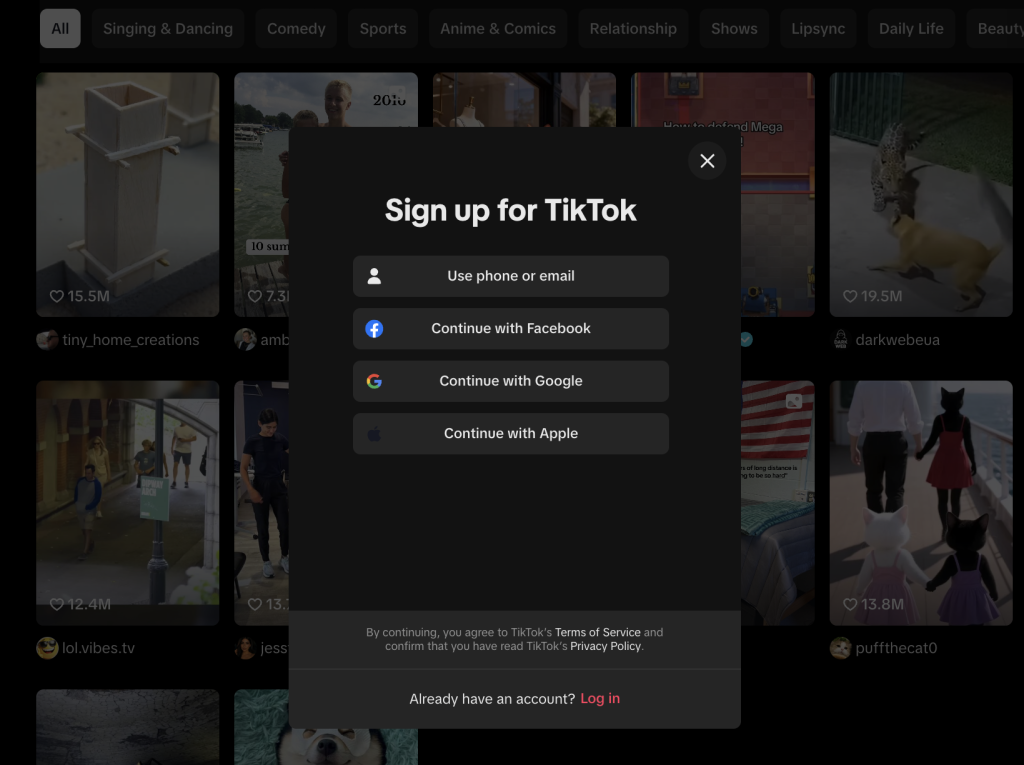
The first step to learning how to use TikTok is creating your account.
Download the app from your app store and open it. You can sign up using your phone number, email, or other social media app accounts.
Once installed, follow these steps:
- Tap “Sign Up” and choose your preferred signup method
- Create a username that represents you or your brand
- Set up your TikTok profile with a clear photo
- Write a short, interactive bio that tells viewers who you are
- Link your other social accounts if you want to collaborate with your existing followers
Your TikTok profile is your digital business card. Make it count by keeping it simple and authentic.
2. Navigate the TikTok Interface
Before you create content, familiarize yourself with the app layout. The main sections include:
- For You Page (FYP): Your personalized video content feed
- Following: Content from creators you follow
- Discover: Trend exploration and search functions
- Inbox: Your notifications and messages
- Profile: Your account and uploaded videos
The magic happens in the top right corner where you’ll find the “+” button.
This is what you’ll tap when you’re ready to record a video or upload existing content from your camera roll.
You can also explore the TikTok Shop where creators sell merchandise and products directly through the app. TikTok’s integration of shopping features has transformed how brands reach consumers.
Fun Fact: The average TikTok user spends about 95 minutes per day on the app, making it the social media platform with the highest interaction time this year.
3. Create Your First TikTok Video
Ready to post on TikTok? Here’s how:
- Tap the “+” button in the top right corner
- Press and hold the red button to record a video, or tap it once for hands-free recording
- Use the timer if you need to set up your shot
- Add effects, filters, and sounds by tapping the respective buttons
- Tap “Next” to add a caption, hashtags, and adjust privacy settings
- Hit “Post” to share your creation with the world
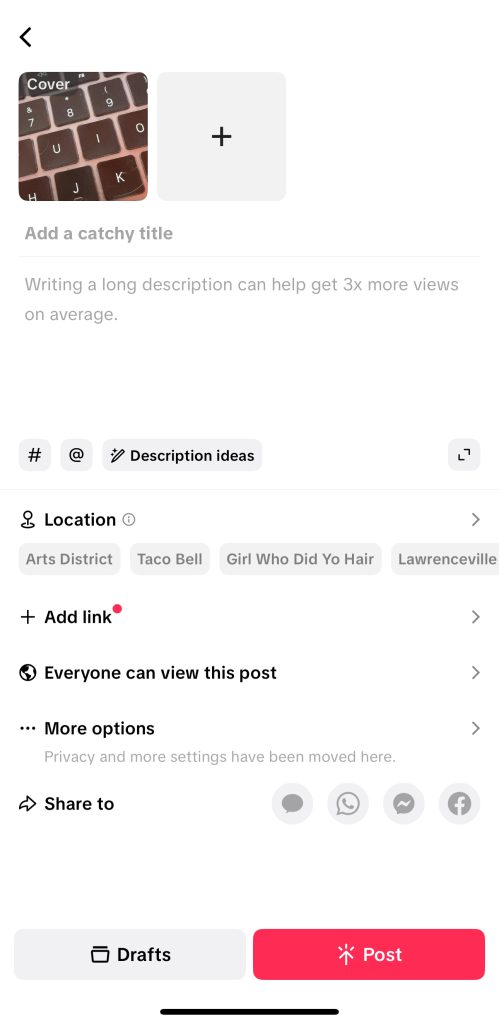
TikTok offers various template options that make video creation easier.
These templates combine pre-selected effects, transitions, and timing to help beginners create professional-looking content. Explore the template gallery to find formats that work for your style.
When adding hashtags, include both broad and specific ones. A good hashtag strategy combines trending tags with niche-specific ones.
Remember that each hashtag helps categorize your content.
TikTok allows you to get creative with your content through features like duets and stitches.
With duet, you can create videos alongside existing content, which is perfect for reactions or collaborate with other creators.
4. Find Your TikTok Community
To truly learn how to use TikTok effectively, you need to find your community. The app’s algorithm shows you content similar to what you interact with, so:
- Explore the Discover page to find popular TikTok hashtags related to your interests
- Follow creators who make content you enjoy
- Like, comment, and share videos that resonate with you
- Use the search function to find specific TikTok community niches
As you interact with content, you’ll start gaining TikTok followers who enjoy your videos.
Growing your followers takes time, but using the right template for your videos can speed up the process.
Some creators use content template strategies where they repeat successful video formats with new topics.
This consistent approach helps viewers recognize your style and builds a stronger connection with your TikTok audience.
When you create content consistently within a specific niche, the algorithm helps you reach the right TikTok audience. You can also grow or follow TikTok groups.
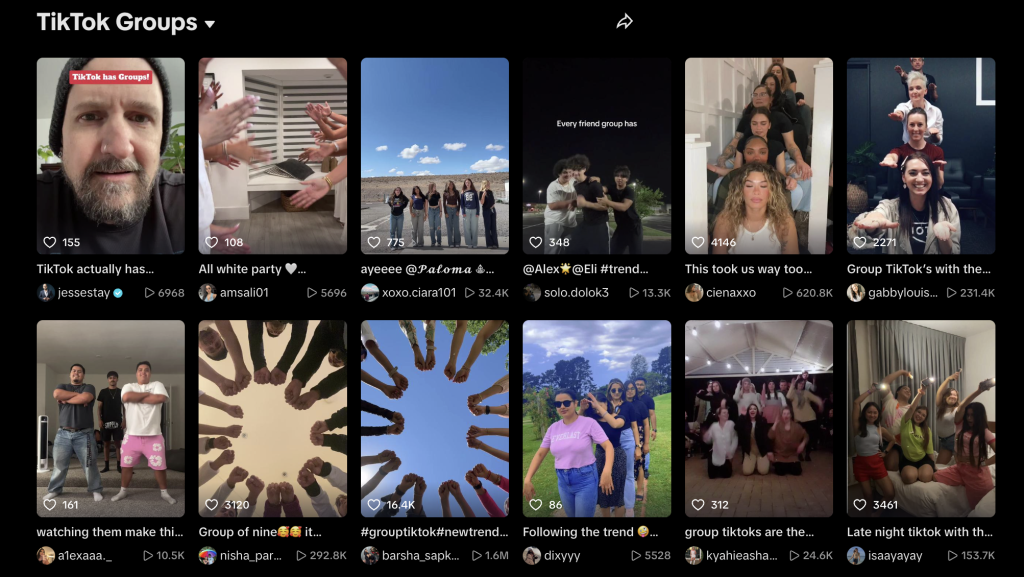
Growing your followers takes time, but implementing proven follower growth strategies can dramatically speed up this process.
Remember that TikTok for business accounts can target specific demographics too.
5. Understand TikTok Analytics
If you’re serious about growing on the platform, switch to a Pro account to access TikTok analytics. This free feature helps you:
- See who’s watching your videos
- Identify when your audience is most active
- Track which videos perform best
- Monitor follower growth
All of these things are important to ensure that your content is meeting the right goals and keeps your channel growing in the long term.
Keep in mind that not everyone automatically has analytics, so you’ll need to turn them on.
Here’s how to turn on TikTok analytics:
- Go to your profile
- Tap the three lines at the top right corner
- Select “Creator tools” then “Analytics”
Understanding these analytics and metrics is important for growing your audience and optimizing your content strategy on TikTok.
The Path to Going Viral on TikTok

While nobody can guarantee you’ll go viral, several strategies can grow your chances.
Start by following TikTok trends, but always add your unique twist to stand out from the crowd. Including 3-5 relevant hashtags helps your content reach the right audience, while keeping videos short (15-30 seconds) grows your viewer interaction.
Consistency matters too; aim to post 3-5 times weekly to stay in the algorithm’s good graces.
Reaching out to collaborate with other creators through duets can significantly expand your reach.
Check out the TikTok Shop for tools like ring lights or phone tripods to enhance your video quality.
Many successful creators begin with template videos before adding their personal touches for a professional look.
Just remember that TikTok doesn’t reward overly polished content; authentic videos typically resonate more with viewers than perfect ones.
As your account grows, you might even qualify for verification status with enough consistent, quality content.
Here are some additional tips to help you get that hit video that you’re looking for.
1. Learn How to Use TikTok’s Algorithm to Your Advantage
If you want to go viral, the first step is understanding how to use TikTok the right way, starting with its algorithm.
TikTok’s “For You Page” (FYP) is powered by engagement, meaning the platform prioritizes content that gets people watching, liking, sharing, and commenting.
The key? Focus on retention. The longer viewers watch your video, the higher the chances it’ll be recommended to others.
Start your videos with a strong hook, use trending audio, and make your edits snappy.
Think of TikTok as a discovery platform rather than just a social app; every post is a chance to reach brand-new audiences who’ve never seen your content before.
You can also reset the TikTok algorithm when things start to go flat.
2. Master How to Use TikTok Features Creatively
One of the biggest secrets behind viral TikTok videos is how creatively you use the platform’s built-in features.
From sounds, filters, and green screens to duets, stitches, and polls, these tools exist to keep viewers interacting with your content.
Creators who go viral often experiment with effects and transitions that make their videos stand out.
Businesses, on the other hand, can use TikTok Shop or stickers to make their products shoppable directly within the app.
Learning how to use TikTok’s tools is like learning a new language; the more fluent you become, the more expressive your content gets.
Also consider using tools like CapCut to create videos effectively. In addition, you can use scheduling tools or content planners like Sprout Social to stay on track with your TikTok content strategy.
3. Understand How to Use TikTok Trends Wisely
Jumping on trends is one of the easiest ways to get your content noticed, but it’s not just about copying what everyone else is doing.
The trick is knowing how to use TikTok trends in a way that fits your niche or brand voice.
If you’re a business, you can tie trends back to your product. For example, use a trending sound to show a before-and-after transformation or a customer reaction. TikTok business trends are incredibly important for success on the platform.
If you’re a creator, put your own spin on a popular challenge or meme.
Trends move fast, so timing matters.
Browse the Discover page daily and save trending audios you can adapt quickly. The earlier you join a trend, the better your chances of going viral.
4. Learn How to Use TikTok Analytics to Track What Works
Viral growth doesn’t happen by accident, it’s driven by data. TikTok Analytics helps you see which videos perform best and why.
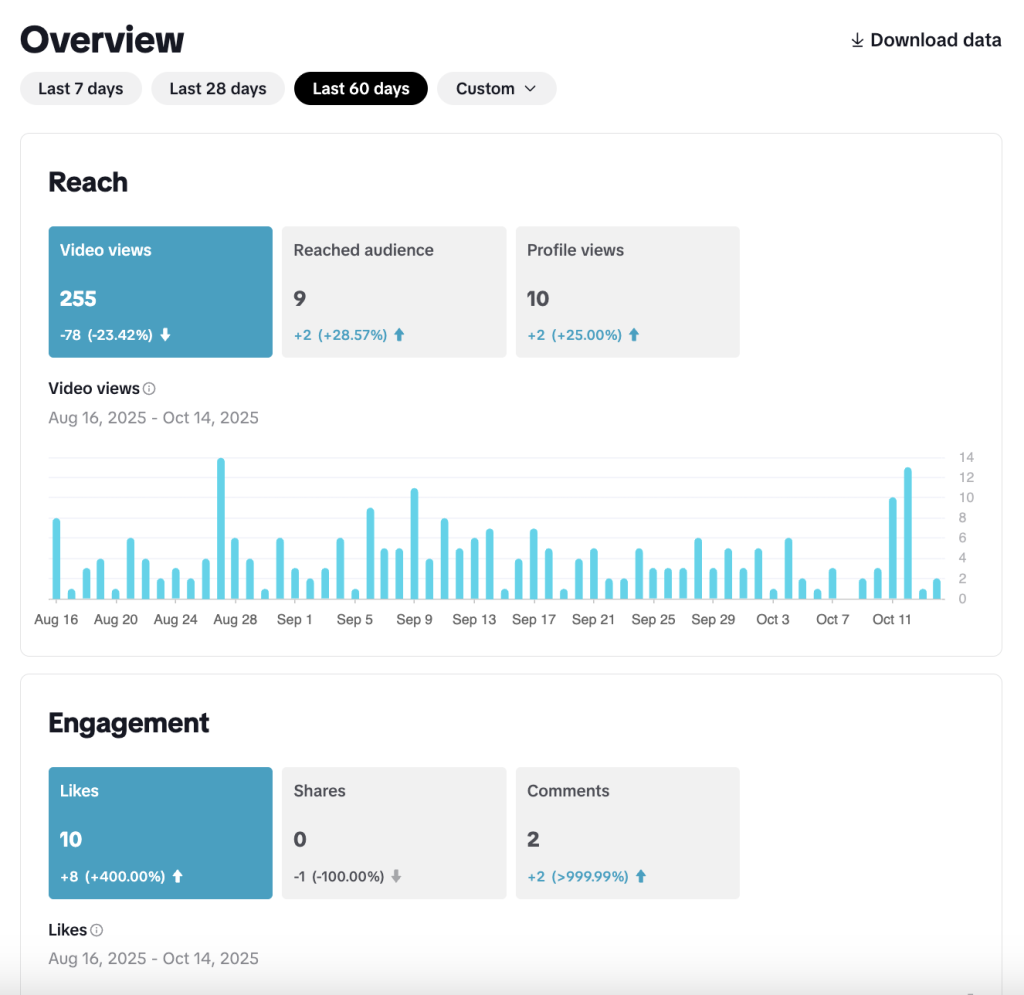
By checking your metrics, you’ll learn how to use TikTok strategically. Track your watch time, average view duration, and follower activity to understand what keeps people hooked.
If one type of video consistently outperforms the rest, double down on that style. The best creators treat their analytics like a roadmap, using data to guide their creative direction instead of guessing what might work.
Businesses can use these insights to refine their ad targeting, while creators can use them to plan their content calendar around proven winners.
5. Know How to Use TikTok for Community Building
Finally, going viral isn’t just about one big video—it’s about building a loyal audience that keeps coming back. That’s why you should learn how to use TikTok to create community, not just content.
Respond to comments, duet your followers, and post follow-up videos to show appreciation. When your audience feels seen, they’re more likely to share your content, boosting your reach organically.
TikTok’s most successful creators turn engagement into relationships. Whether you’re a small business owner or an influencer, showing up consistently and authentically is what keeps your audience growing long after the viral moment fades.
Conclusion
Learning how to use TikTok might seem daunting at first, but it gets easier with practice.
Start by exploring the app, then create simple videos before attempting more complex content. The most important thing is to have fun with it!
If you’re using TikTok to grow your brand or just connect with friends, consistency and authenticity will take you far on this exciting social media platform.
Frequently Asked Questions
How do you use TikTok for beginners?
Beginners who are learning how to use TikTok should start by creating a TikTok account, exploring content to understand what they enjoy, and then making simple videos.
Don’t worry about perfection- just tap the “+” in the top right corner, record a video, add some text or effects, and post it.
What is the point of having TikTok?
TikTok provides entertainment, connection, and creative expression.
For individuals, it’s a place to discover content, learn new skills, and connect with like-minded people.
For businesses, TikTok for business offers a way to reach younger audiences, showcase products in creative ways, and build brand awareness through authentic content.
It’s also an excellent platform for influencer marketing campaigns.
What are the do’s and don’ts of TikTok?
Do’s: Post consistently, interact with your TikTok community, use trending sounds, keep videos short, add relevant hashtags, and be authentic.
Don’ts: Don’t post copyrighted material without permission, don’t spam users with comments, don’t buy fake followers, don’t post content that violates community guidelines, and don’t expect overnight success; building a following takes time.
Can people see who viewed their TikTok?
No, TikTok doesn’t show who viewed your profile or watched your videos. Only interaction metrics like likes, comments, shares, and total view counts are visible.
This differs from some other social platforms and helps people feel comfortable exploring content without leaving a digital footprint.
However, if you like, comment on, or share someone’s video, they will be notified of your interaction.